Handling PDF files has become part of everyday work, its does not matter you’re a student, office employee, freelancer, or business owner. You may need to edit text, edit documents, merge files, or convert PDFs ,convert image to pdf and pdf to image etc without spending money on expensive software.
The good news is that in 2026, there are alots of powerful free PDF editors that offer professional features without a paid subscription.
In this guide, we’ve tested and compared the best free PDF editors in 2026, highlighting their features, advantages, and limitations so you can choose the one that fits your needs.
Why Do You Need a PDF Editor?
PDF files are designed to preserve formatting, but editing them isn’t always simple.
A good PDF editor allows you to:
- Edit text
- Insert images
- Add signatures
- Highlight important sections
- Fill forms
- Merge PDFs
- Split PDFs
- Compress files
- Convert PDFs to Word or Excel
Instead of paying monthly subscription fees, you can use one of the excellent free tools listed below.
I tested several free PDF editors before writing this guide. Some were fast and easy to use, while others had annoying limits or watermarks. The recommendations below are based on usability, features, and overall value.
3. Warning
Before the online tools section:
Note: Avoid uploading confidential or sensitive documents to online PDF editors unless you trust the provider’s privacy policy
Top 10 Best Free PDF Editors in 2026
1. PDFgear (Editor’s Choice)
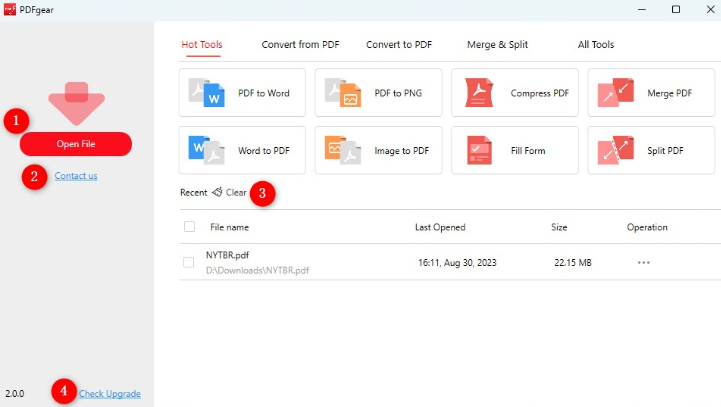
If you’re looking for a completely free PDF editor with no watermark, PDFgear is one of the best options available in 2026.
Key Features
- Edit PDF text
- Add images
- Annotate documents
- Merge PDFs
- Split PDFs
- Convert PDF to Word
- OCR support
- AI assistant
Pros
✔ Completely Free
✔ No Watermark
✔ Fast
✔ Beginner Friendly
Cons
✖ Advanced business features are limited.
Best For
Students, freelancers, office workers, and bloggers.
If you want to explore PDFgear then click below link
PDFgear : https://www.pdfgear.com/
2. LibreOffice Draw
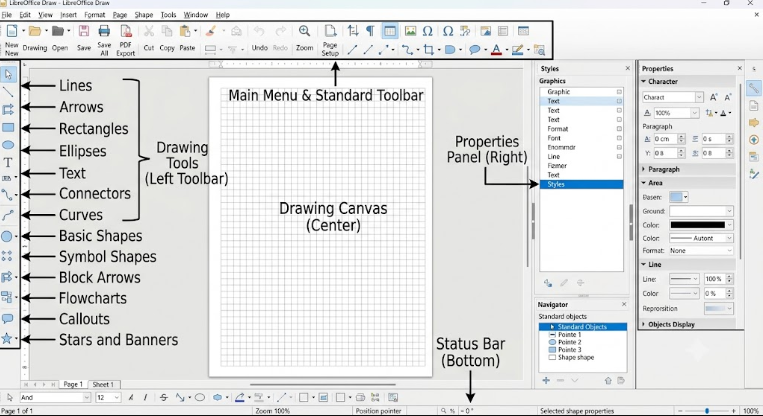
LibreOffice Draw is one of the oldest free PDF editing solutions.
Although it’s primarily a document editor, it can also edit PDF files as well.
Features
- Edit text
- Insert images
- Change layouts
- Export as PDF
Pros
✔ Open Source
✔ Free Forever
✔ Works Offline
Cons
✖ Complex interface for beginners.
If you want to explore then click below link
LibreOffice Draw : https://www.libreoffice.org/
3. Sejda PDF Editor
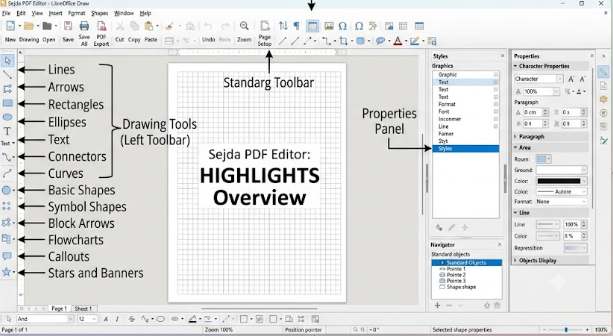
Sejda is one of the most popular browser-based PDF editors.
It allows editing directly from your browser without installing software.
Features
- Edit text
- Add signatures
- Compress PDF
- Password protection
- Merge files
Pros
✔ No installation required
✔ Simple interface
✔ Cloud support
Cons
✖ Daily usage limits in the free version.
If you want to explore then click below link
Sejda PDF Editor : https://www.sejda.com/
How to Choose the Right Free PDF Editor
Before downloading any software, consider the following:
- Do you need offline or online editing?
- Is OCR required?
- Do you want no watermark?
- Will you edit PDFs daily or occasionally?
- Does it support Windows, Mac, or Linux?
Choosing the right tool depends on your workflow.
Related articles
How to Speed Up Windows 11 Without Software
4. Canva PDF Editor
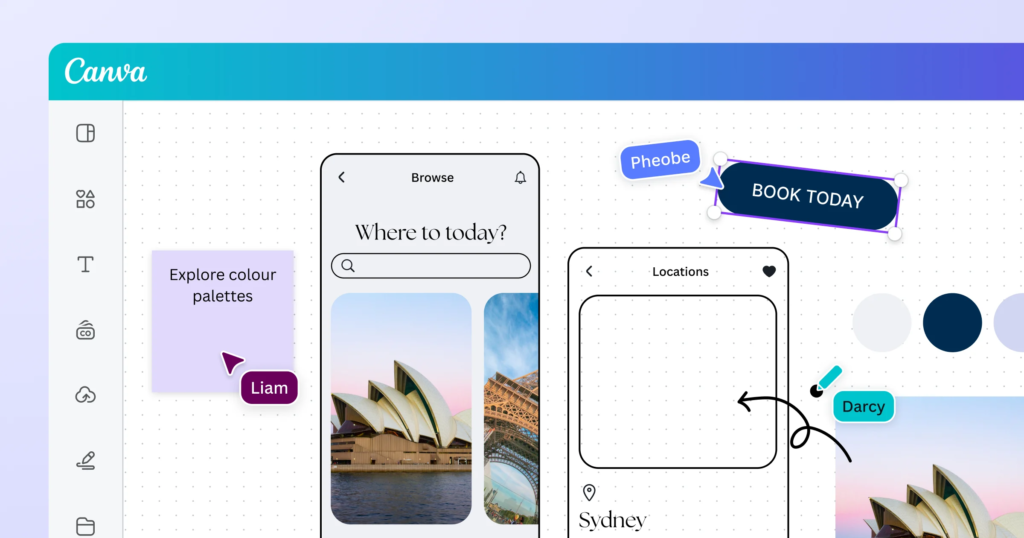
Many users don’t realize that Canva also lets you edit PDF files.
After uploading your PDF, you can modify text, images, graphics, and layouts.
Features
- Edit Text
- Replace Images
- Add Graphics
- Export as PDF
Pros
✔ Very Easy
✔ Excellent Design Tools
✔ Free Plan Available
Cons
✖ Not ideal for official document editing.
Best For
Designers, marketers, and social media creators.
Top 10 Best Free PDF Editors in 2026
If you want to explore then click below link
Canva : https://www.canva.com/pdf-editor/
5.Microsoft Edge PDF Editor
If you’re using Windows 11, Microsoft Edge already includes a built-in PDF editor.
Features
- Highlight Text
- Draw
- Read PDFs
- Fill Forms
- Add Notes
Pros
✔ No Installation Needed
✔ Completely Free
✔ Built Into Windows
Cons
✖ Cannot edit existing text.
Best For
Basic PDF tasks.
Conclusion
Finding the best free PDF editor in 2026 doesn’t have to be difficult. Whether you’re a student, blogger, office worker, or business professional, there’s a free tool available that fullfill your needs.
If you’re looking for the best all-around solution, PDFgear is our top recommendation because it offers powerful editing features, OCR support, no watermark, and completely free access.
For users who prefer browser-based editing, Sejda, , and canva are excellent choices.
Choose the tool that matches your workflow and start editing PDFs without spending money.
Frequently Asked Questions (FAQ)
1. Which is the best free PDF editor in 2026?
PDFgear is considered one of the best free PDF editors because it offers advanced editing features without watermarks or hidden costs.
2. Can I edit PDF files for free?
Yes. Many tools like PDFgear, Sejda, PDF24 Creator, and LibreOffice Draw allow free PDF editing.
3. Is Adobe Acrobat free?
Adobe Acrobat Reader is free for viewing PDFs, but advanced editing features require a paid subscription.
4. Which PDF editor has no watermark?
PDFgear, PDF24 Creator, LibreOffice Draw, and Microsoft Edge do not add watermarks to edited PDFs.
5. Which PDF editor is best for Windows 11?
PDFgear, PDF24 Creator, and Microsoft Edge are among the best options for Windows 11 users.
6. Is there an online PDF editor?
Yes. Sejda and Canva provide browser-based PDF editing
Related articles
Good
Pingback: Samsung Galaxy A36 Review (2026): Features, Camera, Battery